Is the XIAO ESP32-S3 a good fit for your iPhone BLE project?
A thumb-sized ESP32-S3 with BLE, Wi-Fi, and a camera for $23.99. Here's how it fits an iPhone Core Bluetooth project, plus the gotchas to know first.
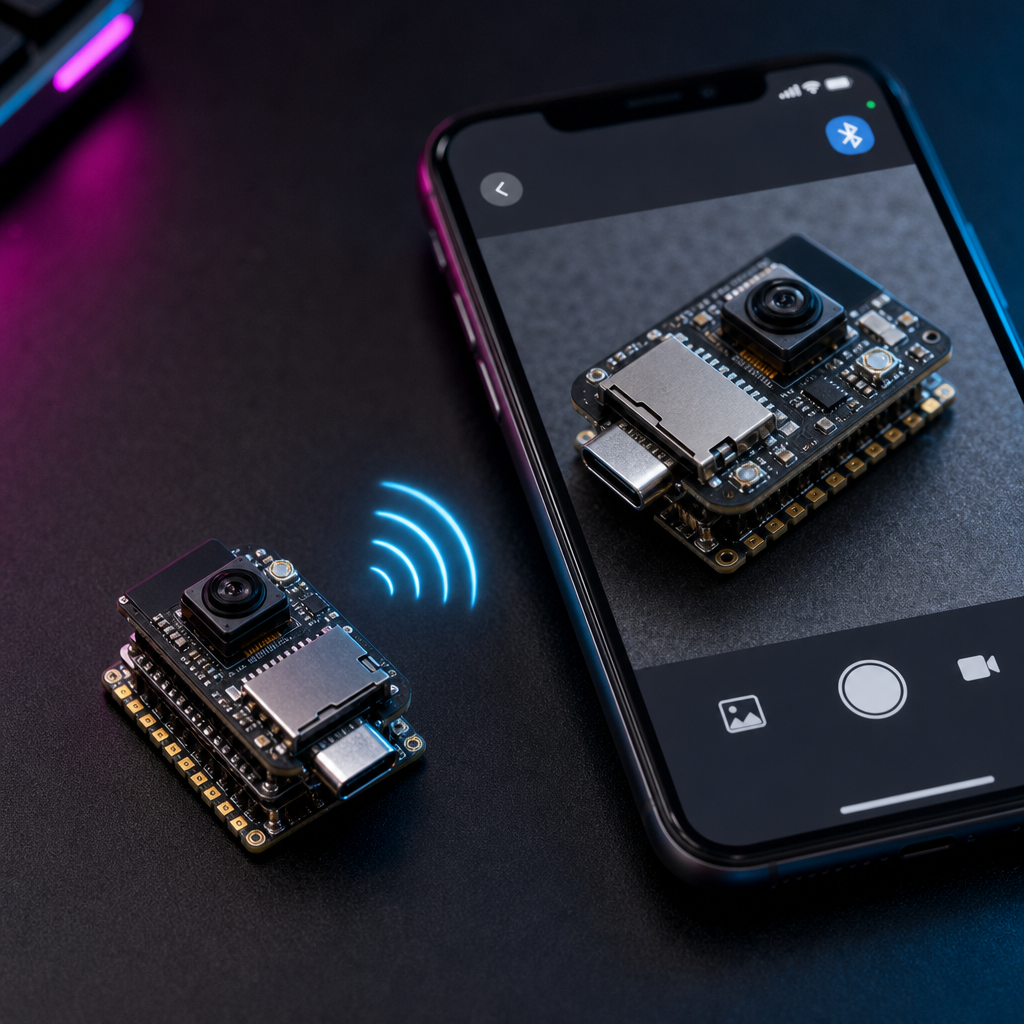
The Seeed Studio XIAO ESP32-S3 measures 21 x 17.5mm. That's about the size of your thumbnail, and it carries a dual-core 240 MHz processor, 8MB of PSRAM, Wi-Fi, BLE, and (on the Sense version) a detachable camera plus a digital microphone. It sells for $23.99.
If you write Swift and you're hunting for hardware to point Core Bluetooth at, this board belongs on your shortlist. I think it's one of the best picks for an iPhone BLE project right now. But it has a few quirks that will cost you an evening of debugging if nobody warns you. So here's the warning, plus some project ideas to get you building.
What's on the board
The specs, straight from Seeed's listing:
- Processor: ESP32-S3, 32-bit dual-core Xtensa, up to 240 MHz
- Memory: 8MB PSRAM, 8MB flash, plus an SD card slot for up to 32GB
- Wireless: 2.4GHz Wi-Fi and BLE, with 100m+ range claimed when you add a U.FL antenna
- Camera: detachable OV2640 (1600x1200), compatible with the OV3660
- Audio: built-in digital microphone
- Firmware: Arduino and MicroPython supported
That 8MB of PSRAM matters more than it looks. Camera frame buffers eat RAM, and PSRAM is what lets you capture full-resolution images without the board falling over.
Why it pairs so well with an iPhone
The ESP32-S3's Bluetooth radio is Bluetooth LE only. That lines up perfectly with Core Bluetooth, since BLE is what your iOS app talks to anyway.
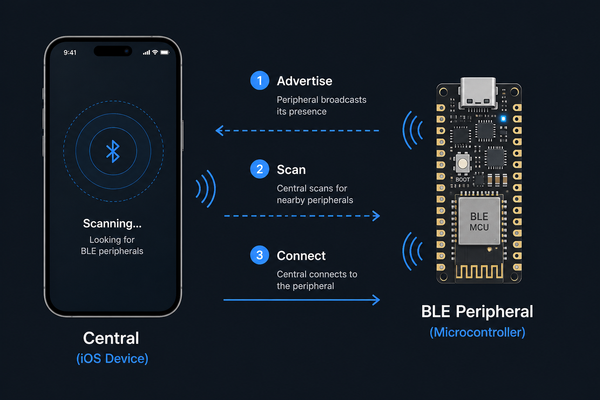
The connection model is the one you already know. The XIAO plays the peripheral: it advertises a GATT service with a few characteristics (say, one for commands and one for sensor data). Your iPhone plays the central: it scans, connects, discovers the service, then writes to characteristics or subscribes to notifications. Your delegate callbacks fire, and SwiftUI updates.
Setup is quick, too. USB-C programming is built in, so you flash it straight from your laptop. One Amazon reviewer said they picked it because they needed a camera board "where you don't need a separate programmer."
The move: BLE for control, Wi-Fi for data
Here's where this board gets fun. BLE is great at small, frequent messages: commands, state changes, sensor readings. It's a terrible pipe for images.
And the images are big. One reviewer reported that a UXGA JPEG at quality setting 2 comes out around 300KB. Pushing that over BLE would be painful.
The XIAO has both radios, so split the work:
- Your iPhone connects over BLE and sends a command (or Wi-Fi credentials, for first-time setup).
- The XIAO captures a frame.
- The image moves over Wi-Fi, while BLE keeps handling control and status.
One reviewer noted the board serves its own web interface on your local network, so the Wi-Fi side is very doable. Heads up: Wi-Fi and BLE share the same 2.4GHz radio on the ESP32, so test your throughput with both running before you lock in the architecture.
Gotchas before you start
Heat during video streaming. A reviewer reported that it "gets super hot and crashes if you stream video for short amount of time especially at higher resolutions." Design around snapshots or lower resolutions. If your project needs continuous HD video, pick something else.
Power from your Mac. Another reviewer found the camera didn't always initialize when plugged straight into a Mac. It worked reliably through a powered USB-C hub. So if esp_camera_init fails, check power before you rip apart your code. For deployment, a reviewer says any 5V phone charger or 5V battery works fine.
Which camera you actually got. The listing says OV2640, but a buyer in June 2026 received the newer OV3660. Check yours with this snippet from that review:
sensor_t *s = esp_camera_sensor_get();
Serial.printf("PID=0x%04x\n", s->id.PID);
// 0x3660 means you have the OV3660
Run it once on day one so you know which sensor settings apply.
Projects worth building
A BLE-provisioned pet cam. A reviewer already built a pet camera with a 3D-printed case. Add an iOS app that onboards it over BLE, sends Wi-Fi credentials, and triggers snapshots on demand. That's a real product flow, and a great Core Bluetooth exercise.
A wearable sensor with a live SwiftUI chart. Seeed pitches the tiny form factor for wearables. Stream readings over BLE notifications and plot them in Swift Charts as they arrive.
On-device smarts, iPhone alerts. One reviewer runs small ML models on the board. Do the inference on the XIAO, then send your app a tiny BLE notification when something happens. The iPhone gets a single event, which keeps your BLE traffic tiny.
The verdict
For a Swift developer who knows the microcontroller basics, the XIAO ESP32-S3 is an easy yes for iPhone BLE projects. You get BLE for the control channel, Wi-Fi for heavy data, enough memory for real camera work, and a board small enough to hide anywhere. Just respect the heat limit and give it clean power.
Grab the XIAO ESP32-S3 on Amazon
Once it arrives, get your iPhone talking to it fast. The free Core Bluetooth Starter Kit walks you through building an iOS app that talks to an ESP32 in 15 minutes or less.
This post contains an affiliate link. If you buy through it, Coding On Crack may earn a commission at no extra cost to you.